What's New
Product updates, improvements and fixes across the KlickAnalytics platform.
67 updates · clear
News with images and summary
We've updated our symbol quote app to now include news with;
- News Image
- News summary text
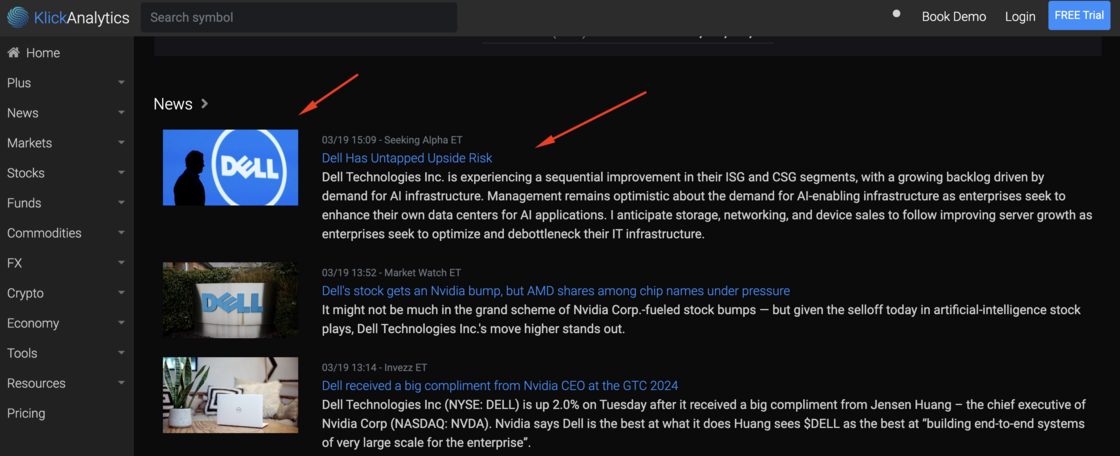
The above will allow our users to visually view all the important news about a company at a glance and much more.
To access: Search for any symbol say DELL, and then from the top symbol menu, select Quotes
Key Financial Ratios
We've enhanced our company financial app to include the following new financial ratios;
- Liquidity Measures Ratios
- Profitability Indicator
- Debt Ratios
- Cash Flow Ratios
- Investment Valuations

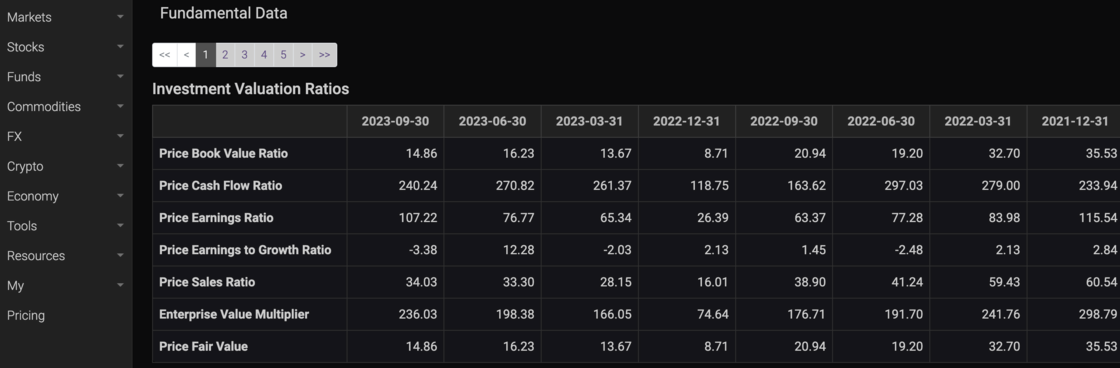
This will allow our users to access all critical financial ratios of a company on an annual as well as on quarterly basis.
To access: Search for a company say TSLA, then from the symbol menu, select Financials
Visualize Earning Opening Gap Analysis
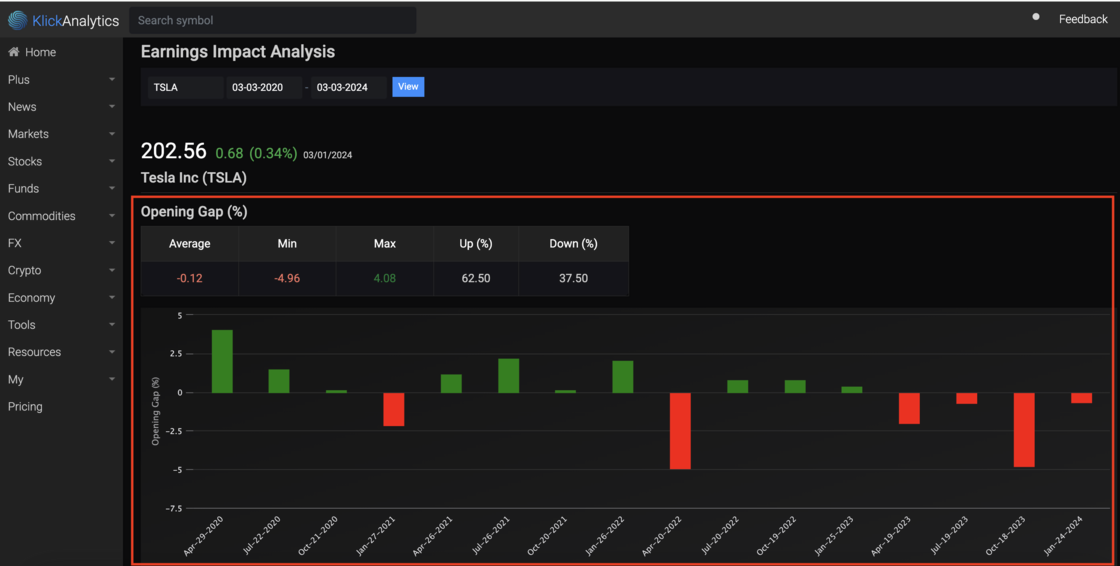
We had updated our Earning Price Reaction app to include the following;
- Opening Gap (%) stats
- Average, Min, Max opening gap(%)
- Total Up / Down (%) for opening gap
- Bar chart display the historical earning dates with their respective opening gap (%).
The above will allow a user to quickly visualize how a company price react on the each of its earning days and much more.
**To view: **Search for any global company say TSLA, then from the top menu, select Earnings > Price Action
News stories with quick summary
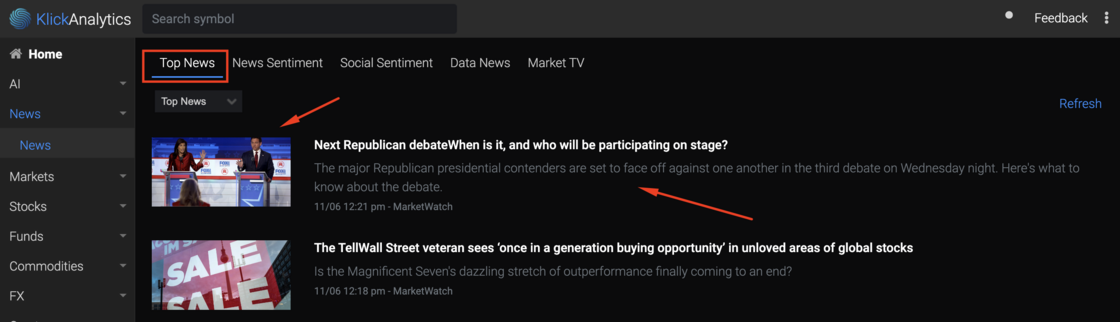
We are pleased to introduce an enhancement to our news section, which now offers users the ability to view news stories alongside their corresponding images and concise summaries. This enhancement allows users to effortlessly gain a comprehensive overview of the news at a glance, providing a more efficient and engaging news browsing experience.
To access:
From the left menu, click on News > Top News
New navigation layout
We're thrilled to announce a major update that's all about making your KlickAnalytics experience smoother and more efficient than ever before. With our platform constantly expanding, we understand the importance of quick and easy access to all your favorite apps. That's why we've revamped our navigation system to bring you a host of fantastic benefits!
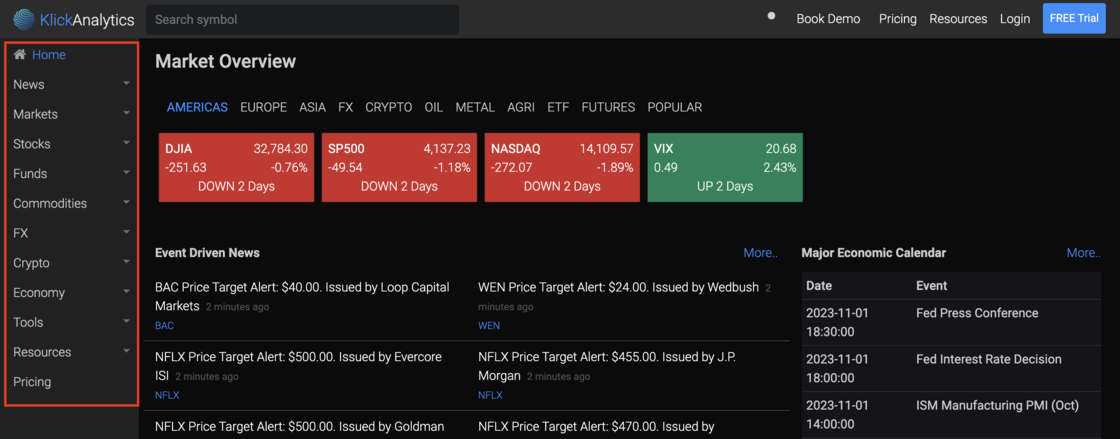
🌐 Simplified Access: Accessing your go-to apps has never been easier. Say goodbye to the hassle of digging through menus – now, with just one simple click, you can unlock a world of possibilities.
💼 Streamlined Sidebar: Our new and improved sidebar, located conveniently on the upper left-hand side, is your gateway to a seamless experience. It's your one-stop-shop for all things KlickAnalytics, putting you in control of your digital world.
🚗 Turbocharged Access: With this enhanced navigation, you're just one click away from accessing your favorite applications, tools, and features. This means you'll spend less time searching and more time doing what you love on KlickAnalytics.
✨ Elevate Your Experience: Whether you're a seasoned pro or a brand-new user, our updated navigation will take your KlickAnalytics journey to the next level. Explore your data, boost your productivity, and make informed decisions effortlessly.
This update is all about you – our cherished users.
We're committed to continuously improving your experience, and we believe that easy access to our growing suite of 40+ apps is the key to your success. Try out the new sidebar navigation today and unlock the full potential of KlickAnalytics!
Ready to discover a smoother, more efficient KlickAnalytics? Get started now and experience the magic of simplified navigation for yourself! 🌐💫📈
View all help videos gallery!
We have added an enhancement to our video library, where our users can quickly view our videos in a gallery style format.
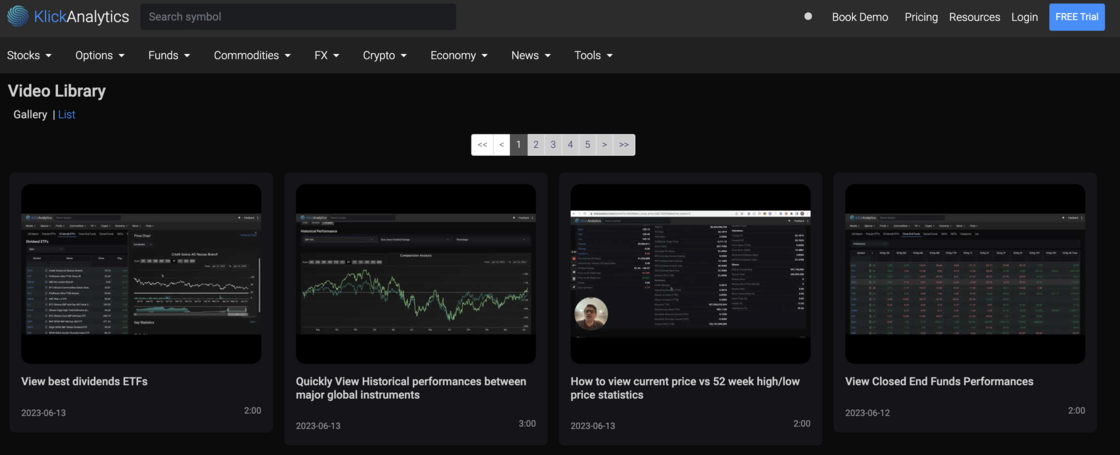
This will allow our users to quickly view all the videos at a glance. We are committed to provide more and more video to help our customers to uncover our product features and look for trade opportunities and much more.
To access: From the top header, click on Resources > Videos
Apply technical indicators on your custom formulas!
Now you can apply full technical indicators, draw trend lines and much more on your own custom formulas.
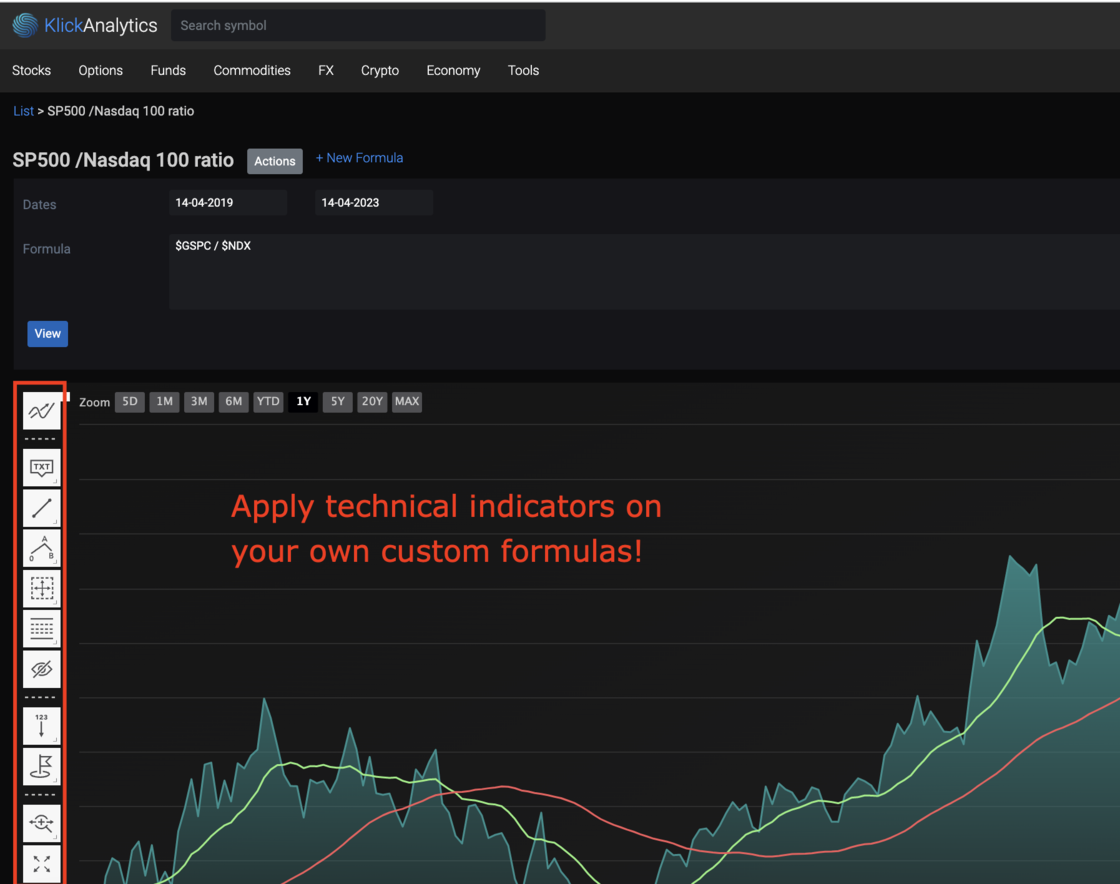
To access: From the top menu, select Tools > Custom Formulas
Explore price recovery patterns
We've added additional stats in our symbol performance recovery app. Now our users can view not only how quickly an instrument recovers from price movements, but also be able to view;
- Maximum/Minimum Positive and Negative returns
- # of Positive/Negative occurrences and more.
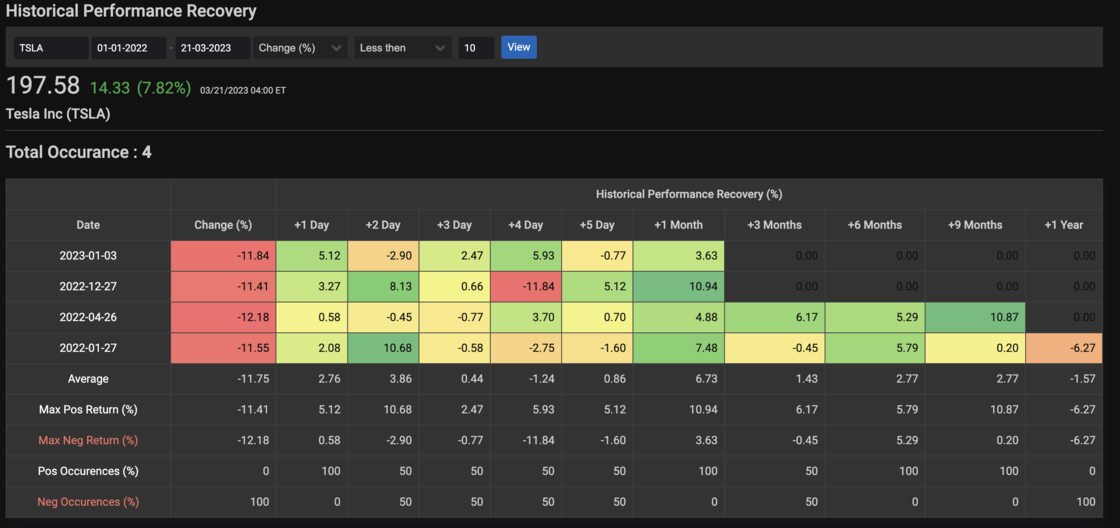
To access: Search for any global symbol say TSLA, and then from top symbol menu, select Analysis > Recovery
Explore more collections e.g. ChatGPT, NFT stocks...
We've added the following new collections e.g. ChatGPT, NFT stocks and more.
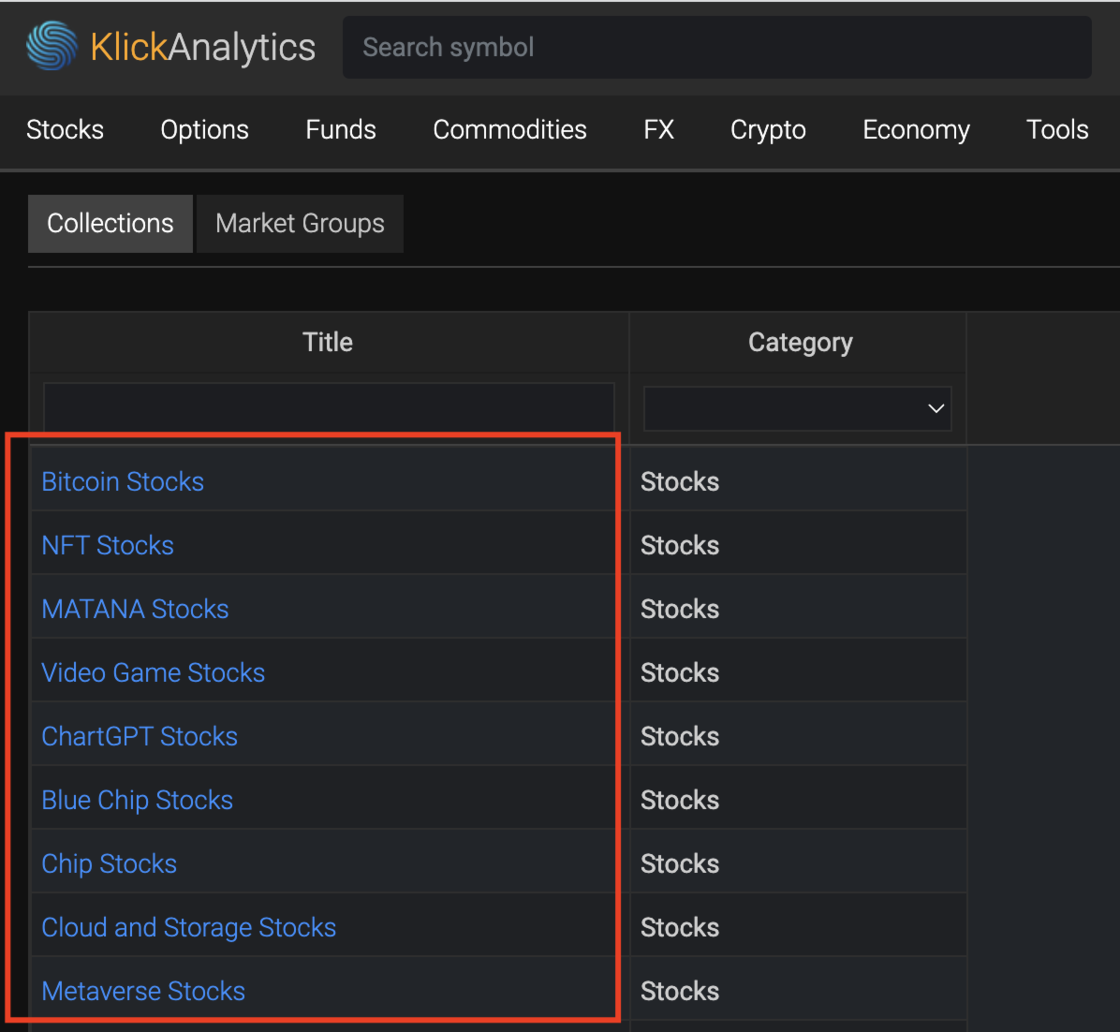
Our users can access the above collections, and analyze these instruments side by side with more visualization and more.
To access: Click on top menu > Stocks > Collections
View historical correlations by week, months...
Run historical correlations among any global instrument, and even filter data by daily, weekly timeframes, or data items like OHLCV and more at KlickAnalytics.com
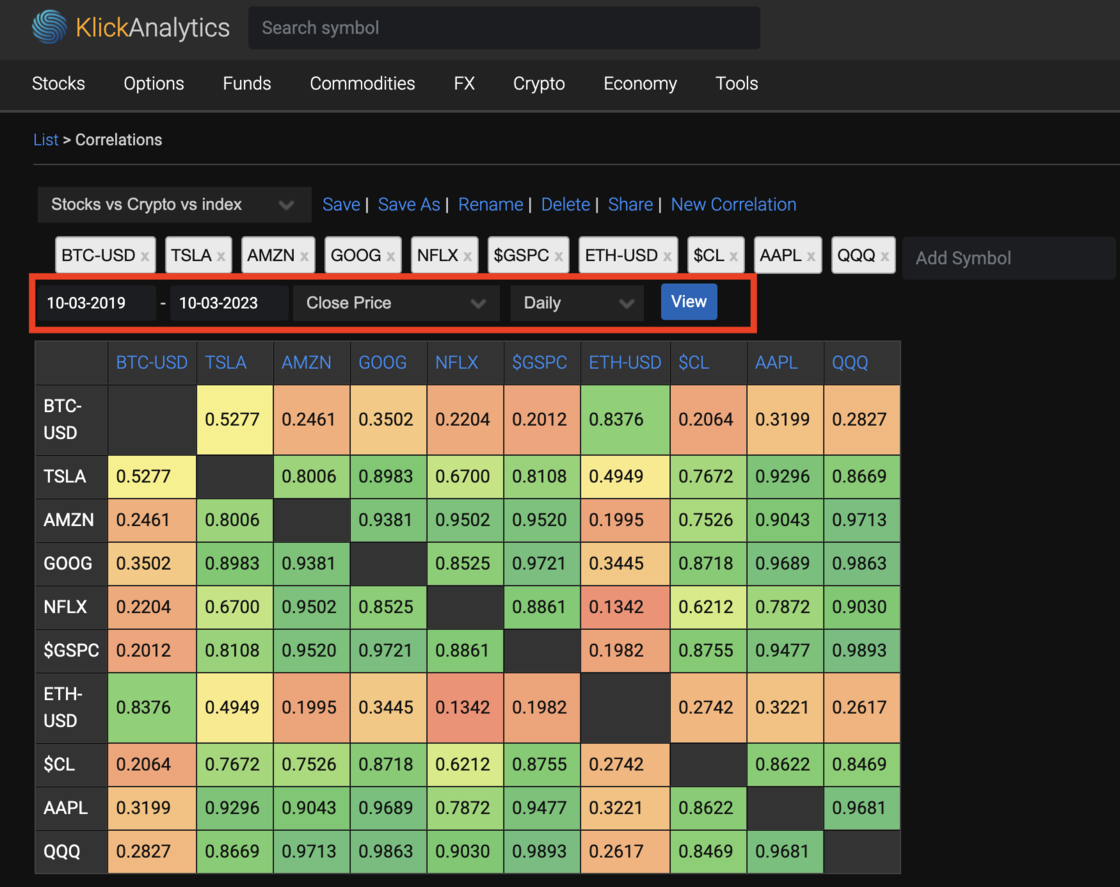
To access: From the top menu, select Tools > Correlations
Ask the market a question. Get a calculated answer.
The AI is not a chatbot bolted onto a document store. It calls the same analytics engine that powers every screen on this platform — so what comes back is a number it computed from raw history, with the command that produced it.
86,000+ instruments
Global equities, ETFs, funds, options, FX, commodities, crypto, economics, filings, transcripts and news — one normalised symbol universe with adjusted history.
A real analytics engine
Screening, backtesting, technicals, options analytics, correlations, seasonality and factor models — computed on demand from raw prices, never a stale cache.
It shows its working
Answers arrive with the charts, tables and tool calls behind them, so you can check the number instead of trusting a paraphrase.
Your own documents
Upload filings, decks and research. Ask across them and the answer cites the page it came from.
Agents and workflows
Multi-step research that runs the platform's tools for you — screen, pull the history, compute, compare, then write it up.
MCP, CLI and API
The same command catalogue from Claude, your own agent, a shell or your pipeline. The answer on screen is the answer your job gets at 4am.
You ask
“How does NVDA usually trade through earnings?”
It calls
→ ka.options_expected_move(NVDA)
It answers
NVDA has averaged a 9.2% absolute move on the day after earnings and closed higher 67% of the time. Two in three reactions land between −4.2% and +16.3% — the distribution is skewed right, not symmetric.
Every figure computed live from our own history — not scraped, not summarised.
Or start with