Introducing Wiki: one place your teams write down how they work
A wiki for every team — folders, pages and a notebook-style editor, version history on every page, sharing with other teams, and notifications when something changes.
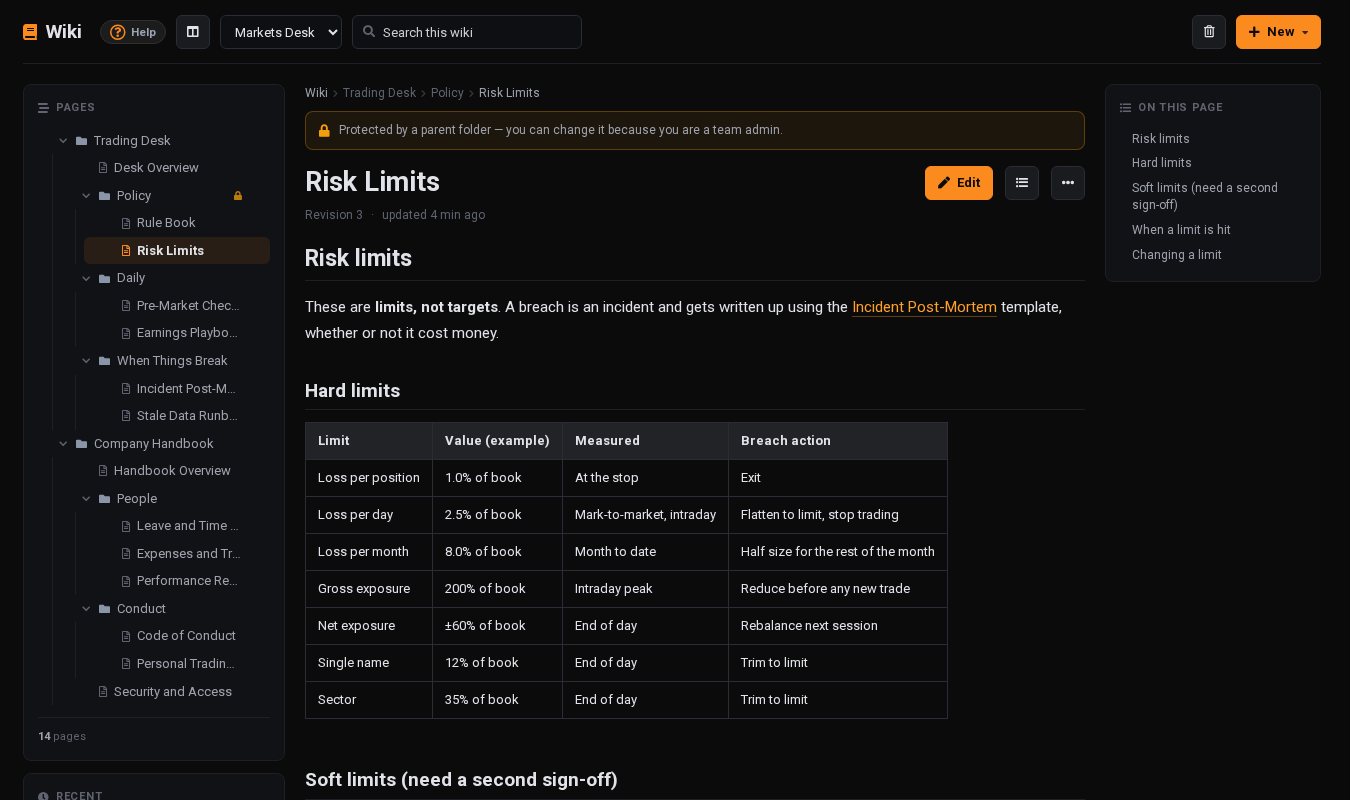
Every desk runs on knowledge that is not written down anywhere useful. The risk limits live in a PDF from last year. The way to handle a stale price feed lives in one person's head. The onboarding checklist is a chat message nobody can find. When the question comes up again, someone answers it again — and the answer is slightly different each time.
Wiki gives each of your teams one place to write those answers down, keep them current, and trust that they are still right when someone needs them.
A wiki for every team
Open My › Wiki and every team you belong to has its own wiki. There is nothing to configure: being on the team is the access. Everyone on it can read, write and organise the pages, and switching teams switches wikis.
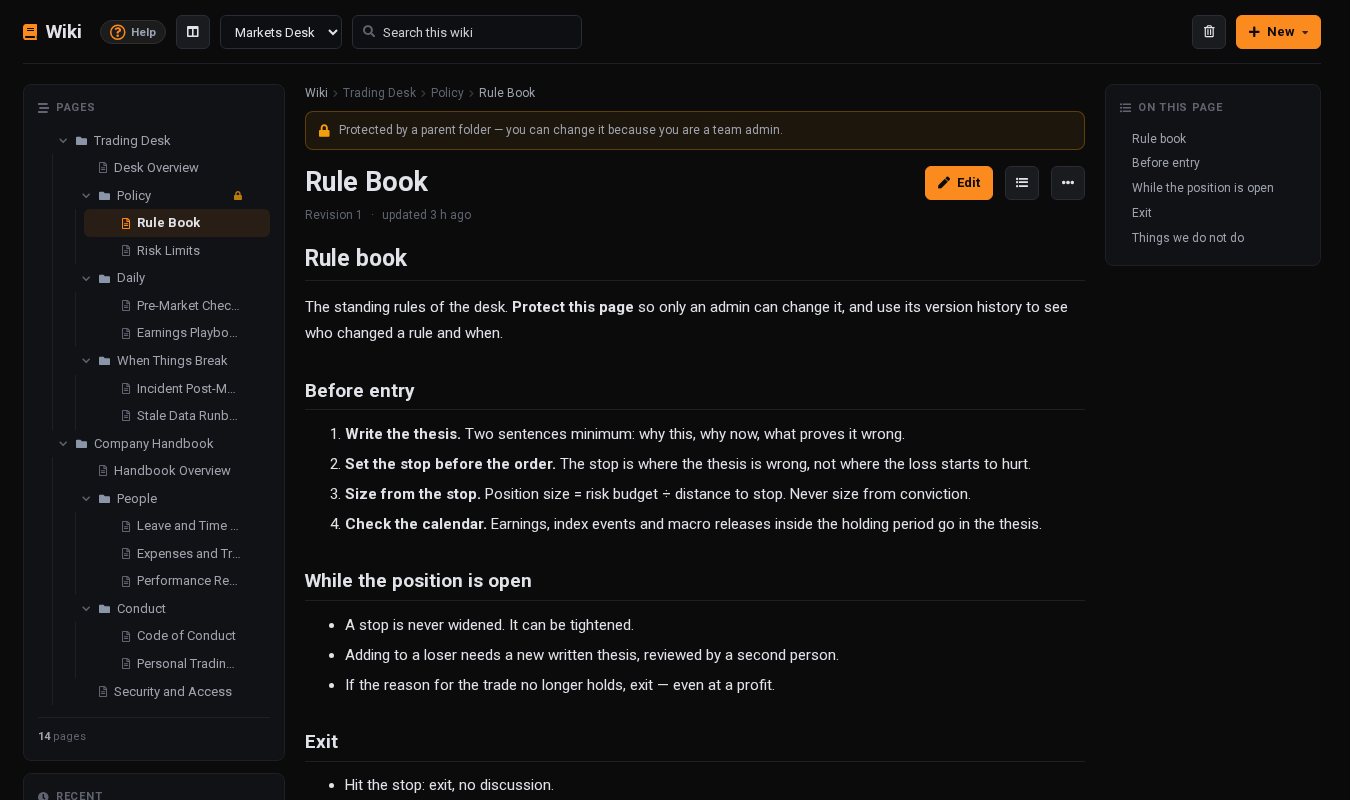
Pages sit in folders, in whatever order your team chooses. The page you are reading shows its path at the top and an On this page outline built from its headings, and search looks through every page title and body in the wiki.
A notebook-style editor
Click Edit and write the way you would in a notebook: headings, bold and italic, bulleted and numbered lists, task lists, tables, quotes and code blocks. Prefer Markdown? Switch the editor to its Markdown tab. Paste or drop a chart screenshot straight onto the page — JPG, PNG, GIF or WebP up to 10 MB — and it is stored with the page. Ctrl/⌘ + S saves.
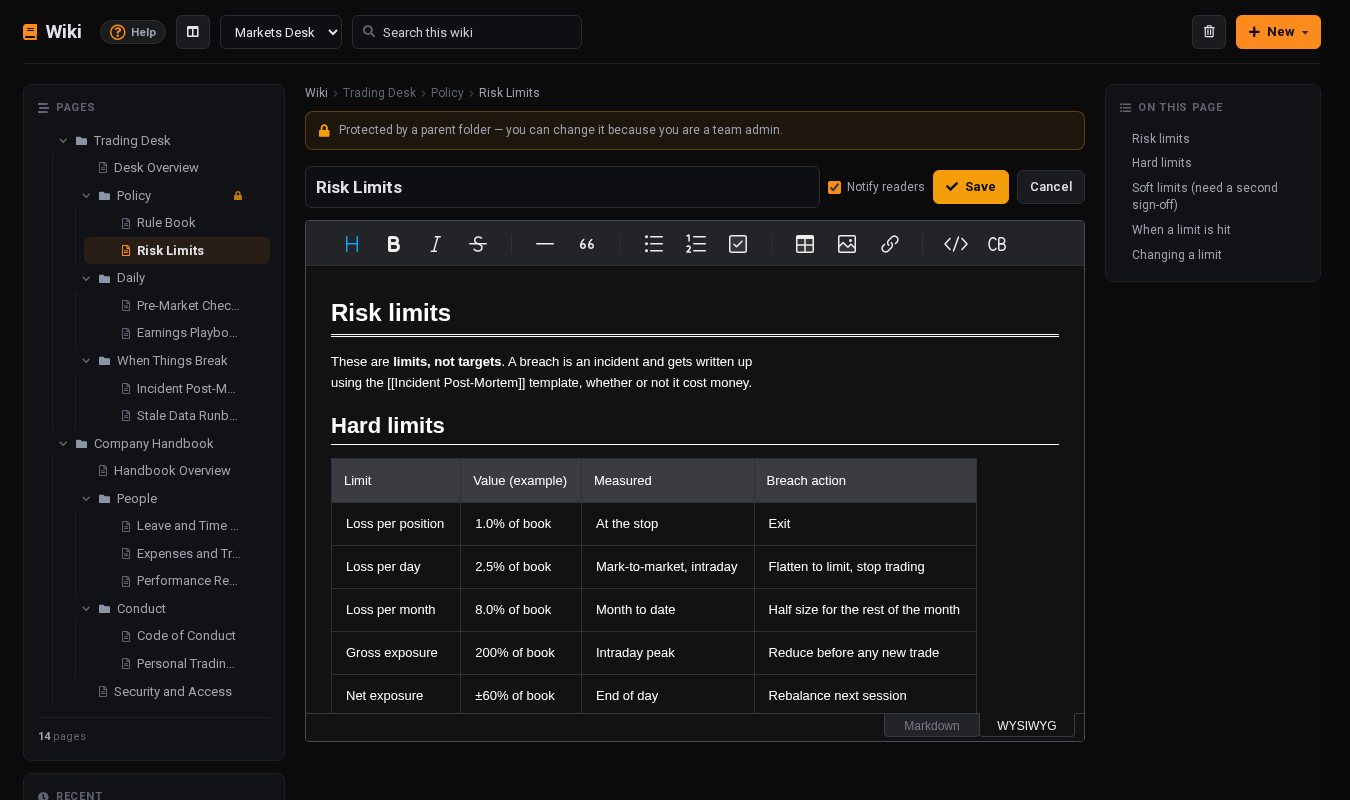
Link one page to another by typing its title in double square brackets, such as [[Risk Limits]]. If the page does not exist yet the link shows in red — click it and the page is created, ready to write. A wiki grows best one missing page at a time.
Organise it the way you think
- Drag and drop. Hover a row in the page tree and drag it by its handle to reorder, or drop it into a folder.
- Move to… From a page's ⋯ menu, pick a new home from the whole tree. Everything inside it moves too, and links to it keep working.
- On your phone. The page comes first and the tree slides in from the side, so the wiki is as easy to read on the way in as it is at your desk.
Built so you can trust what it says
A wiki is only useful if people believe it. A few things make sure they can:
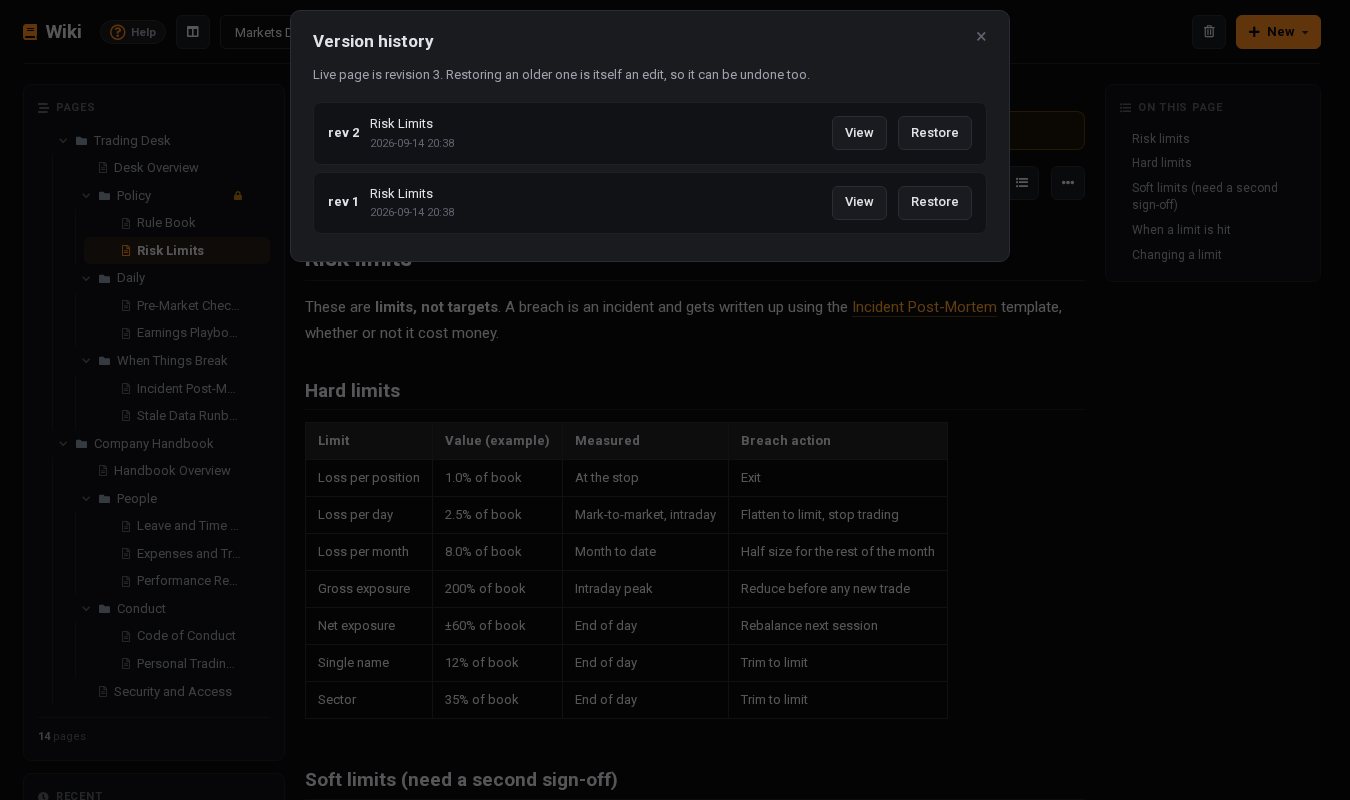
- Every change is kept. Each save keeps the version before it — up to 50 per page — with who made it and when. Restoring an old version is itself an edit, so it can be undone too.
- No silent overwrites. If a colleague saves a page while you are editing it, your save is stopped rather than replacing their work.
- Deleting is reversible. Deleted pages go to Trash and can be restored. Only the page's author or a team admin can delete a page, and only an admin can delete one permanently — after typing its name to confirm.
- Protect what matters. A team admin can protect a page or a whole folder. From then on only an admin can edit, move or delete it, so the rule book stays the rule book.
Share beyond the team
Some pages belong to more than one team. A team admin can share any page or folder with another of their teams — read only, or able to edit — and everything inside a shared folder comes with it. For material everyone follows, such as HR guidelines or a compliance manual, the team's owner can share it with All teams in one step, which also reaches teams created later.
People in the receiving team find it under Shared with this team in their own wiki. They see exactly what was shared and nothing else in the wiki it came from.
Know when something changes
Wiki activity arrives in the notification bell: a new page, an updated page, a deleted page, or a page newly shared with your team. Each notification opens the page.
The person editing stays in control of the noise. Notify readers is ticked when you save a real change and can be unticked for a typo fix, and several saves by the same person show as a single line rather than a stack.
Start from a template, not a blank page
An empty wiki is hard to start. Choose New › Start from a template and add a folder of real, editable pages:
- Trading Desk — a rule book, risk limits, a pre-market checklist, an earnings playbook, an incident post-mortem template and a runbook for stale data.
- Research — the research process, a note template, a model review checklist, coverage and the caveats of each data source.
- Company Handbook — leave, expenses, performance reviews, a code of conduct, a personal trading policy and IT security, built to be shared with all teams.
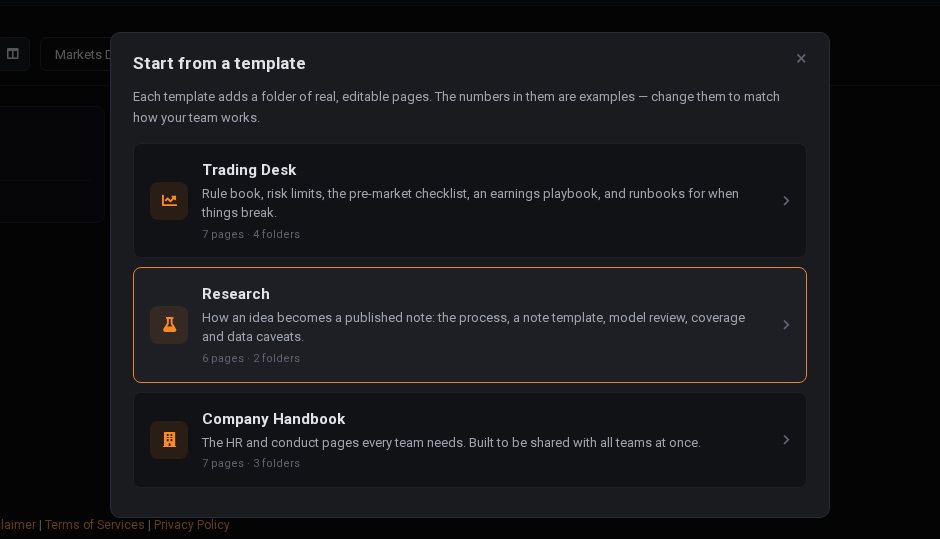
The numbers in the templates are examples. Change them to match how your team really works, then protect the pages that are policy.
What is included
Every account can use Wiki. On the free plan each team wiki holds up to 10 pages and 10 folders, with up to 10 image uploads a day. Paid plans remove those limits and add sharing with other teams and with all teams. Anyone can open pages a colleague has shared with their team, whatever their plan.
Get started
- Open My › Wiki and pick a team.
- Choose Start from a template, or create your first page.
- Write down the answer to the last question someone asked you twice.